AI Training for Entertainment Finance Teams: iNKODE’s AX Grow Case Study


|
One-Minute Summary 💡 |
Entertainment company iNKODE partnered with Codepresso to deliver AI training for its business planning and finance teams. The program included two separate courses: an introductory course covering AI agent concepts and demonstrations, followed by hands-on training built around industry-specific workflows. Participants created tools for artist revenue settlements and profitability analysis, vendor payment verification, financial document indexing, new artist performance benchmarking, and international interview scheduling. This case study explores how Codepresso’s AX Grow program helped nontechnical employees practice delegating finance workflows to AI agents without writing code. New to AX Grow? Start with our AX Grow program overview . |
Four Finance Workflows Behind Entertainment Operations
iNKODE Entertainment is a K-pop management company whose business spans music artists, actors, and intellectual property for film and television. It also operates a Japanese subsidiary as it expands internationally. That breadth means individual employees often manage a wide range of responsibilities.
The training served employees in business planning and finance, with hands-on exercises centered on financial operations. Entertainment finance involves workflows that go beyond standard corporate accounting. The program focused on four areas:
- Artist revenue settlements: Consolidating revenue from albums, concerts, endorsements, broadcast appearances, music streaming and downloads, and events, then allocating the artist’s and company’s shares according to exclusive management agreements.
- Project profitability: Determining how much an individual album or concert earned after costs. Because cost structures vary by activity, profit margins can differ significantly.
- Vendor and freelancer payments: Checking contracts, service periods, and withholding tax applicability before paying music video production companies, choreography teams, stylists, studios, and other service providers.
- Overseas financial close and reconciliation: Managing time zone and exchange rate considerations when reconciling transactions involving joint ventures and international music distributors.
All four involve opening files and manually cross-checking information. Revenue-sharing terms may sit in a contract, payment records in a spreadsheet, and the rationale behind a decision in meeting minutes.
That fragmented information became the starting point for the exercises.
Building a Foundation: AI Agent Concepts and Demonstrations
The introductory course was delivered as a lecture without hands-on exercises. It explained what it means to work in an AI-native environment and how AI agents differ from chatbots, then concluded with a demonstration.
The demo featured a global comeback response tracker. Users entered an artist, promotional activity, platform, region, audience response, and sentiment. The tool visualized the results through charts showing platform distribution, response counts by region, and sentiment breakdowns.
Putting AI Agents to Work: Hands-On Finance Training
The same participants then attended a separate practical course. Since they had already covered the concepts, the session began with a brief review and devoted the remaining time to building.
Participants used Claude Code through a desktop interface. With a folder of training data open, they referenced Excel and Word files using @filename and asked the AI to work with their contents.
They did not write code. Instead, they gave instructions in everyday Korean. The resulting files were saved in the same folder, allowing participants to reopen and use them after the session.
Five Hands-On AI Agent Exercises for Finance and Business Planning
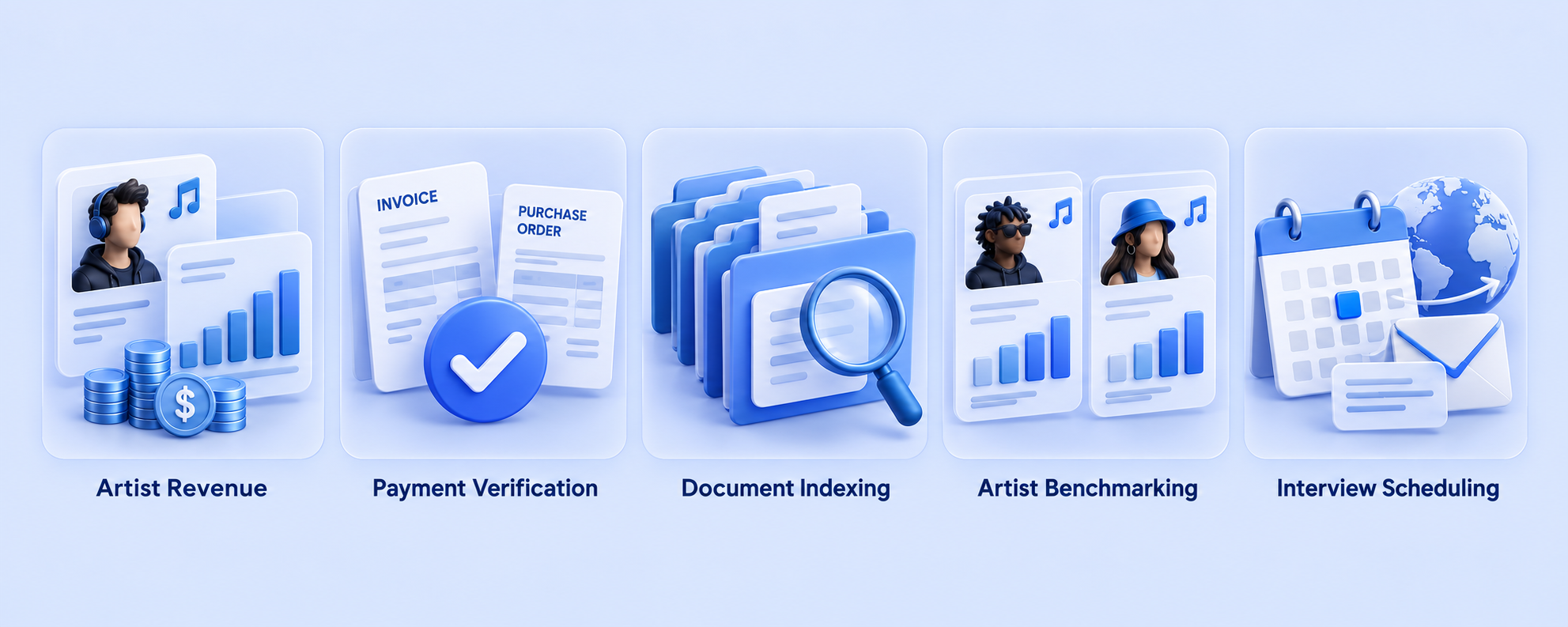
The exercises reflected tasks finance professionals actually handle, rather than generic examples of AI use.
| Exercise | Business workflow | Output |
|---|---|---|
| 1. Artist revenue and profitability dashboard | Aggregate revenue by artist activity and analyze margins by activity type | A dashboard that opens in a browser |
| 2. Vendor payment verification | Cross-check purchase orders, invoices, and vendor records to flag items requiring review before payment | A reconciliation report and a reusable workflow file |
| 3. Financial document indexing | Turn a folder of contracts, policies, meeting notes, and financial reports into a searchable internal wiki | A document index and relationship graph |
| 4. New artist performance benchmarking | Compare public performance metrics for new artists who debuted around the same time | A comparison table with source references |
| 5. International interview scheduling | Convert overseas interview requests into calendar events with the correct time zones | Calendar events and draft email responses |
1. Build an Artist Revenue and Profitability Dashboard
The first exercise started with a single Excel file containing artist activity records. Participants gave the file to the AI and asked it to build a dashboard.
They then reviewed the initial result and identified what was missing. Through short follow-up instructions, they added profit margins, flagged delayed settlements, and refined the dashboard so it could accommodate the following month’s data.
The exercise went beyond generating a screen. Participants practiced evaluating an initial output and turning it into a more useful business tool.
2. Verify Vendor Payments and Save a Reusable Workflow
The second exercise focused on comparing purchase orders and invoices. Participants learned that an AI-generated answer based on an initial review should not be accepted without verification.
They instructed the AI to “verify the calculations using code.” They then saved the reconciliation procedure as a file so it could be reused with the next month’s data.
This demonstrated how a workflow could remain available after the session, rather than exist only within a single conversation.
3. Turn Scattered Finance Files Into a Searchable Knowledge Base
The third exercise used a folder containing Word documents, Excel spreadsheets, PowerPoint presentations, and scanned PDFs. The materials included exclusive artist agreements, vendor contracts, expense policies, meeting minutes, and financial close reports.
Participants converted the files into a consistent format, applied a standard structure to key documents, and built an index. They could then ask questions and receive answers with references to the source documents.
4. Compare New Artist Performance Using Public Data
The fourth exercise asked participants to compare new groups from other agencies that debuted during a similar period.
They researched publicly available metrics, including Spotify monthly listeners, Instagram followers, YouTube subscribers, and first-week debut album sales, then organized the findings in a comparison table.
This exercise connected AI-assisted research with the evidence needed to inform discussions about new artist development and investment.
5. Connect International Interview Requests to a Calendar
The fifth exercise was the only one that involved writing to an external system.
The AI read an interview request from an overseas media outlet, converted the time zones, created a calendar event, and prepared a reply.
The email remained a draft and was not sent.
This boundary was part of the lesson. Participants explored the difference between giving an AI agent permission to read information and allowing it to make changes—and where human approval should remain part of the workflow.
Three Design Choices That Made the AI Training More Practical
The training deliberately introduced challenges that participants were likely to encounter in their own work.
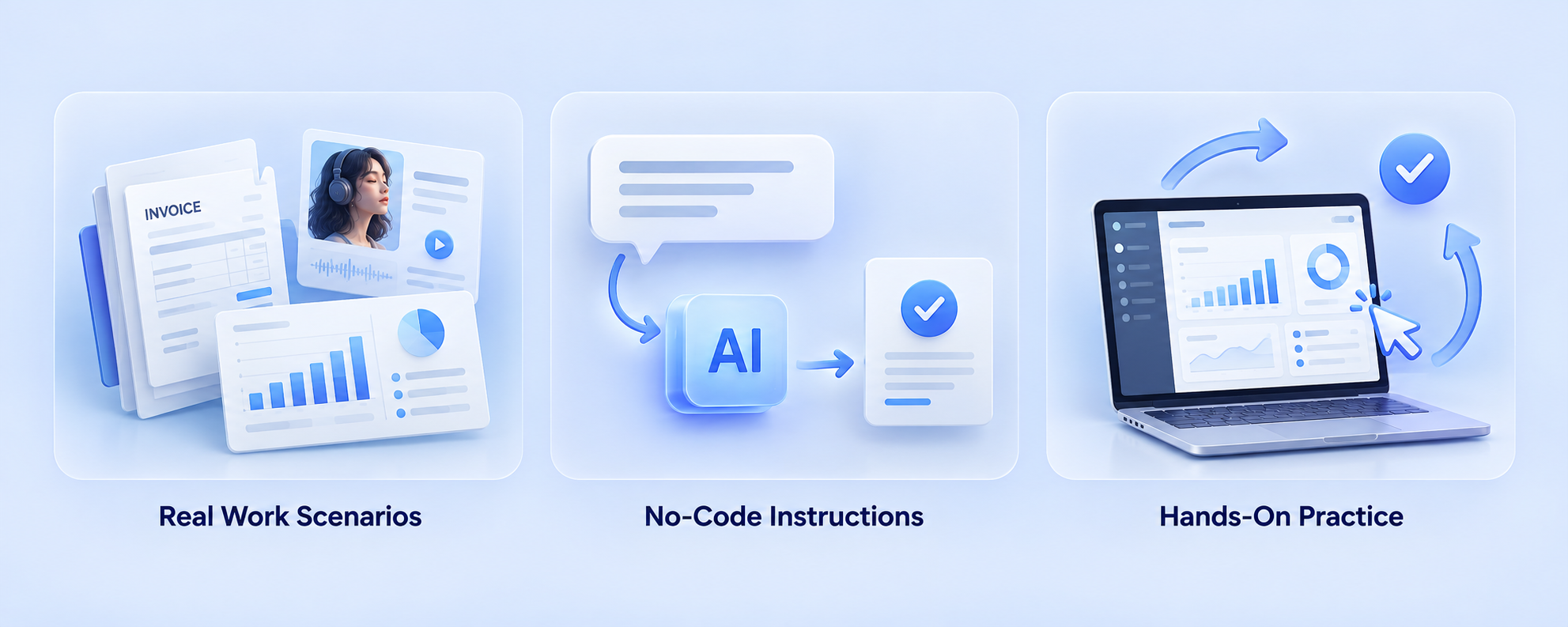
1. Refine Results Through Short Prompts and Review
Many AI workshops give participants a polished prompt to copy and paste. This course used a different structure.
The first instruction was limited to three lines or fewer. Participants reviewed the output, then improved it through one or two additional lines at a time.
The process followed three rounds:
- Start: Give an initial instruction in three lines or fewer.
- Review and improve: Inspect the result and add one or two lines addressing what is missing.
- Finalize: Refine the output for its intended use.
A long, ready-made specification may produce an immediate result, but it gives participants little practice directing the AI themselves.
After the first round, the instructor asked, “What’s missing from the result?” Participants identified the gaps and translated them into concise follow-up instructions. The goal was to build the judgment needed to guide and improve AI-generated work.
2. Use Training Files That Reflect Real Workplace Data
The training materials included Excel, Word, PowerPoint, and scanned PDF files. They were not cleaned up into an ideal format because workplace folders rarely arrive that way.
The spreadsheets included familiar complications: a merged note about units in the first row, column headers in the second, and data beginning in the third. This tested whether the AI could identify where the actual table started.
Calculated fields, such as profit margins, were intentionally omitted. The AI had to compute them.
The purpose was to address a practical question that polished sample data often leaves unanswered: “Will this work with my own files?”
3. Teach Participants to Catch Unsupported AI-Generated Numbers
The benchmarking exercise included a deliberate verification challenge.
Participants compared three newly debuted groups from large, midsize, and small agencies. Some sources displayed metrics in ways the AI could not read directly.
Completing every cell in the comparison table was not the primary learning objective. The objective was to recognize when the AI filled a gap with an unsupported number instead of verified evidence.
The research guidelines reflected workplace expectations:
- Use publicly available information only.
- Do not access pages that require a login.
- Avoid repeated automated requests or bulk data collection.
- Record the retrieval date because metrics change daily.
- Include a source URL for every metric.
For finance professionals, this principle is familiar: a number without supporting evidence does not belong in a document submitted for approval.
Effective AI Adoption Depends on Business Expertise
Delegating work to an AI agent still requires someone who understands the business rules.
Recognizing an invented benchmark figure takes judgment. So does noticing when the AI incorrectly flags or excludes a freelancer payment during a reconciliation exercise. These are decisions that depend on knowledge of the underlying work.
The same principle informed the interview scheduling exercise: the agent could create a calendar event, while a person retained responsibility for sending the email.
Before moving to live business data, participants practiced deciding what the AI could handle, what needed verification, and what required human action.
iNKODE’s AX Grow experience shows how workplace AI training can progress from understanding concepts to building practical tools. Watching a demonstration provides a starting point. Creating, reviewing, and refining a workflow gives employees a chance to apply their own expertise, and develop the judgment needed to use AI effectively at work.

Frequently Asked Questions (FAQs)
Is AI training available specifically for entertainment companies?
Yes. Codepresso’s AX Grow program uses a consistent training framework while adapting the exercises to participants’ roles and industry.
For iNKODE’s business planning and finance teams, that meant artist revenue settlements, vendor payment documentation, exclusive management agreements, and benchmarking to support new artist investment reviews.
In another industry, the exercises would focus on the recurring workflows relevant to those employees.
Can finance professionals participate without coding experience?
Yes. This course was designed for participants with no coding experience.
Instead of writing code, participants gave instructions in everyday Korean, starting with prompts of three lines or fewer.
Preparation primarily involved installing the required software, with instructor support during the session for more complicated setup steps.
Is the introductory course enough, or should employees also complete hands-on training?
iNKODE completed the introductory and practical courses separately.
The introductory course covered concepts and demonstrations, helping participants understand potential applications and evaluate where AI might fit into their work.
The hands-on course devoted more time to building. Participants created outputs, checked results, and refined workflows themselves.
The introductory course provides a foundation; the practical course develops experience applying those ideas to business tasks.