From Idea to Deployment: Vibe Coding for Non-Developers

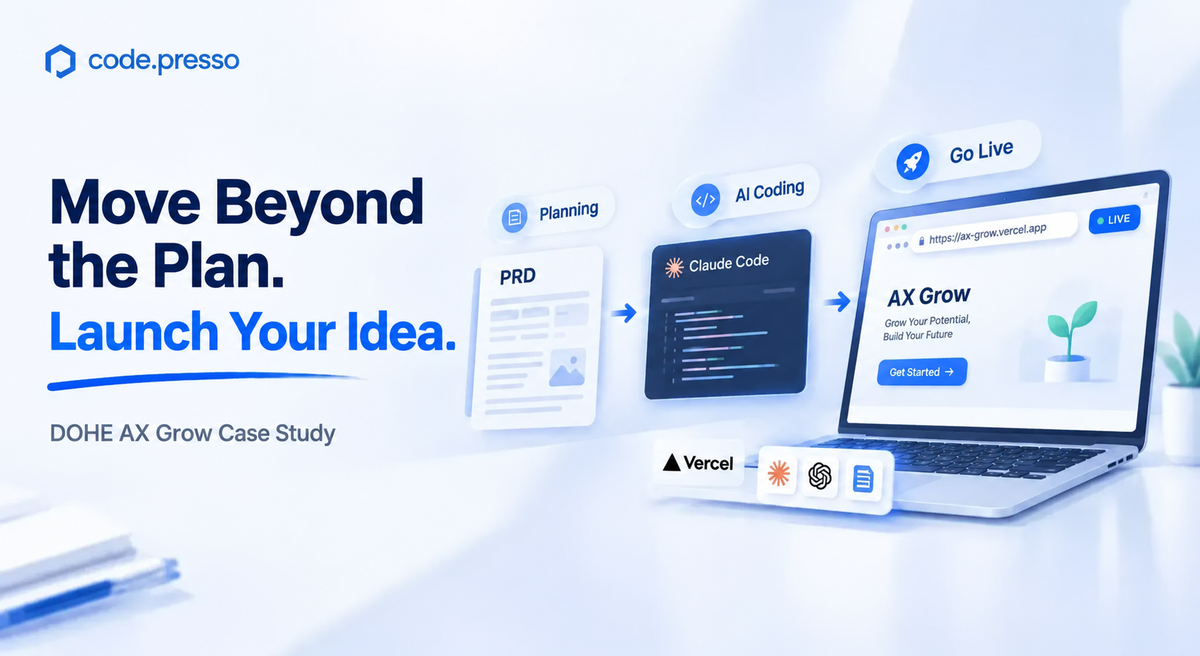
DOHE AX Grow Case Study
|
One-Minute Summary 💡 |
With vibe coding skills, product planners can turn ideas into working prototypes independently. An idea that once stopped at a wireframe while waiting for development resources can become a live URL that colleagues can open and test. AXMOS delivered small-group vibe coding training for platform product planners at DOHE, an edtech accelerator. Designed for participants with no coding experience, the program covered the entire process from writing a product requirements document (PRD) to deploying a web app.
Participants learned how to give AI clear requirements through a
PRD, standardize recurring tasks with |
Vibe Coding for Product Planners
Turn PRDs into Working Prototypes
For product planners, ideas often stall at the wireframe stage. After designing screens and documenting interactions, they hand their work off to the development team and wait for something they can actually click through. Generative AI alone does not necessarily shorten that wait. Even when a chatbot generates code, planners who do not know where or how to run it still need to turn to developers for help.
DOHE is an edtech startup accelerator. This training focused specifically on its platform product planners.
AXMOS designed the program around a central premise: for product planners, vibe coding is an extension of existing capabilities through a new set of tools. The curriculum identifies three reasons why:
- Experience with PRDs and requirements definition helps planners communicate exactly what AI should build.
- A user-centered perspective gives them a clear basis for evaluating the results.
- Familiarity with prioritization and minimum viable products (MVPs) helps them keep AI agents focused on the intended scope.
Claude Code serves as the primary tool. Rather than requiring participants to learn Git, the GitHub CLI, or the Vercel CLI directly, the program teaches them to ask AI to operate these tools on their behalf.
How to Write a PRD That AI Can Act On
In this program, AI is the intended reader of the PRD. The sections are familiar, but the level of specificity matters.
| # | Section | What AI Needs |
|---|---|---|
| 1 | Service purpose (Why) | A one-sentence description of the problem to solve |
| 2 | Target users (Who) | Specific details about the audience, technical proficiency, and usage context |
| 3 | Core features (What) | A focused list of no more than five features |
| 4 | Page structure (Pages) | The number of pages and the purpose of each |
| 5 | Design requirements | Explicit specifications, including HEX codes for colors |
| 6 | Success criteria (Definition of Done) | Observable, testable behaviors |
Phrases such as “beautiful design” or “intuitive UX” give AI little concrete direction. Specifying colors, spacing, and animation behavior gives it clearer instructions to implement.
Example: “Use coral pink (#FF6B6B) accents and 16px spacing between cards. When someone clicks the Like button, animate it to scale up to 1.2 times its original size, then return to its original size over 0.2 seconds.”
The program also limits core features to five. As the feature list grows, AI has more to handle at once, increasing the risk of disconnected results and unclear priorities.
Without a PRD, participants may accumulate prompts while repeatedly explaining the same background. They also lack a shared reference for keeping features consistent. A PRD gives the agent a document it can read to establish context, allowing later instructions to be as simple as, “Refer to the PRD and implement this feature.”
Participants are not expected to complete all six sections immediately. They first expand a one-line idea into a paragraph, then develop it into a one-page PRD. For those who need a starting point, sample PRDs cover ideas such as an internal feedback board, a prelaunch checklist, and a stakeholder communication log.
How to Write SKILL.md
A Reusable Instruction Manual for AI
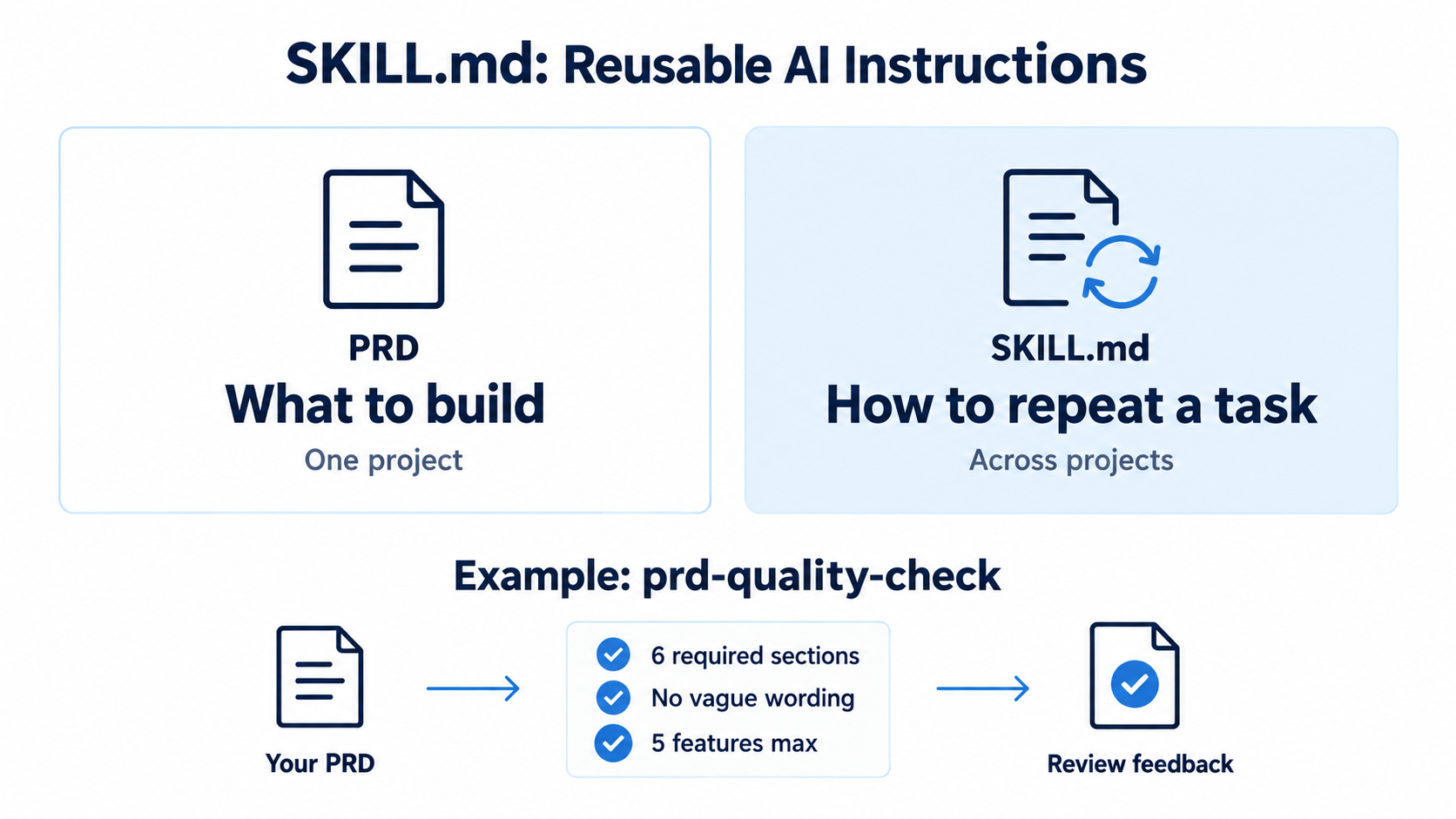
After the PRD, participants move on to SKILL.md. A PRD defines what to build for a specific project. A SKILL.md file documents how to perform a recurring task. Participants can carry those instructions into future projects by copying the file.
| Aspect | PRD | SKILL.md |
|---|---|---|
| Scope | One project | One recurring task |
| Reuse | Project-specific | Reusable across projects |
| Analogy | Project brief | Task instruction manual |
The first skill participants create is prd-quality-check. It reviews whether their PRD includes all six required sections: service purpose, target users, core features, page structure, design requirements, and success criteria. It also checks for vague wording such as “beautiful” or “intuitive” and flags feature lists that exceed five items.
Participants immediately apply the skill to their own PRDs and review the feedback. This gives them a reusable first-pass review tool for checks they might previously have asked a colleague to perform.
Claude Code for Non-Developers
Deploy Your Web App to Vercel
The final step is deployment. Program completion is assessed across five deliverables, with a publicly accessible deployment URL carrying the greatest weight at 30%. The remaining components are the PRD at 25%, project implementation at 20%, SKILL.md at 15%, and the presentation at 10%.
This weighting reflects a core priority: clearly defining an idea matters, and so does turning it into something people can actually use and test.
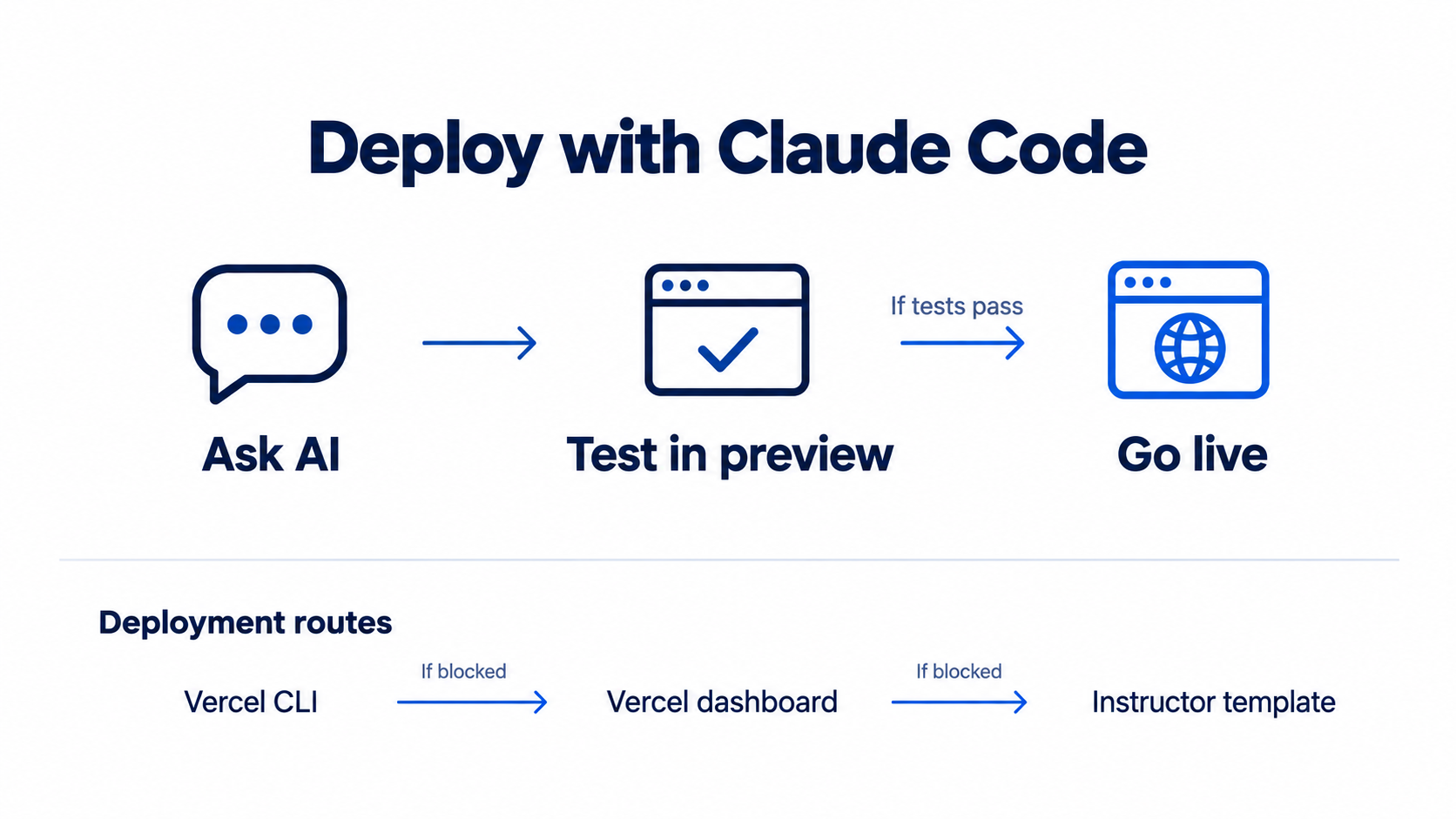
To deploy, participants give an instruction such as, “Deploy my project. Test it in a preview environment first, then deploy to production if everything works.” AI executes the Git and Vercel commands.
The program also provides fallback options. If the CLI approach fails, participants can import their GitHub repository through the Vercel dashboard. If that route is also blocked, they can duplicate an instructor-provided template and deploy it.
| Level | Scenario | Deployment Method |
|---|---|---|
| L1 | Standard workflow | Deploy using the Vercel CLI |
| L2 | CLI deployment is blocked | Import the GitHub repository through the Vercel dashboard |
| L3 | Git is also blocked | Duplicate an instructor-provided template and use one-click deployment |
When an error occurs, participants copy the error message and ask AI to help resolve it.
Cloud database integration, user authentication, and deployment automation are outside the scope of this program and are introduced as next steps for continued learning.
Hands-On Vibe Coding Training
Small-Group Learning with One-on-One Coaching
The class follows a two-pass structure: participants first watch the instructor complete the workflow, then apply the same process to their own projects.
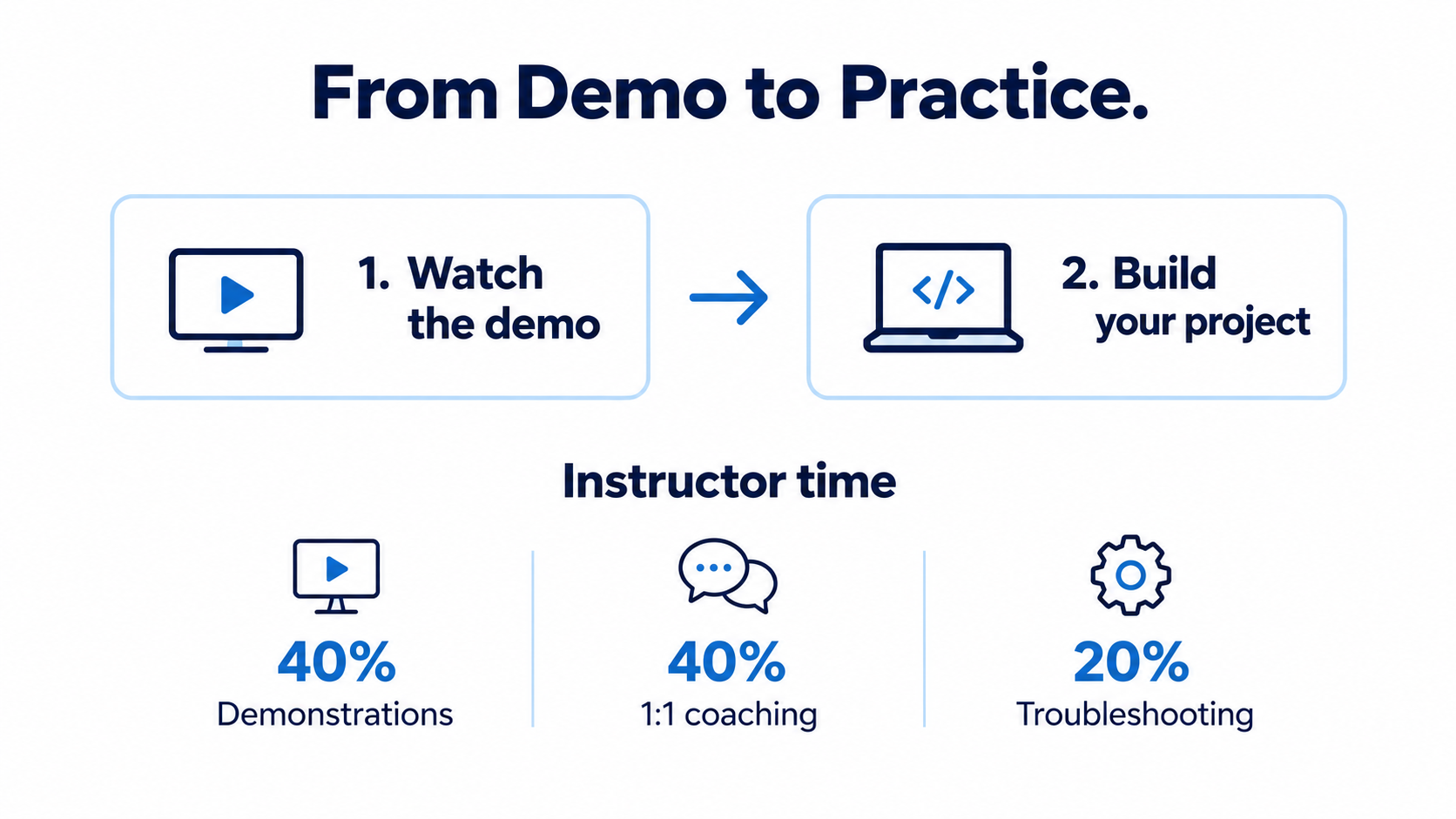
For the demonstration, the instructor builds “VibeFeed,” an Instagram-style community feed app, from start to finish. VibeFeed is a training project, not an actual DOHE service. Participants have access to the instructor’s PRD, prompts, and code, so they can see how specific instructions translate into results before beginning their own work.
This approach requires time for individual support between demonstrations. The delivery guide allocates 40% of instructor time to demonstrations, 40% to one-on-one coaching, and 20% to troubleshooting. Participants receive as much dedicated coaching time as demonstration time.
Frequently Asked Questions (FAQs)
Can product planners with no coding experience deploy a web app themselves?
Yes. The program is designed for participants with no coding experience. They use natural-language instructions rather than writing code themselves, and the program provides three deployment paths to help them work through potential roadblocks.
Can someone who has never written a PRD create one that AI can understand?
Yes. Participants use a six-section framework covering everything from the service purpose to success criteria.
They also create and use a SKILL.md file called
prd-quality-check to review their PRDs for completeness
and clarity. Sample PRDs provide starting points for participants who
have not yet chosen a project idea.
Will I be able to operate a service without developers after completing the program?
The program prepares participants to turn an idea into a working prototype and publish it online.
It does not cover everything required to operate a full service independently. Cloud databases for shared user data, user authentication, and deployment automation are introduced as areas for further learning.