How to Improve Workplace Adoption After Generative AI Training


Four Steps Inspired by LG Uplus and Google
|
One-Minute Summary 💡 |
On October 2, LG Uplus held a hands-on Gemini workshop at Google Korea’s office for 18 outstanding members of its U+BOOSTUS creator community. Participants practiced video planning, production, and editing.
18 participants
Gemini hands-on workshop
Video planning → production → editing
To improve workplace adoption after generative AI training, organizations need to connect four elements:
1. Select a real task
Define an actual workplace task before training begins.
2. Practice with real work data
Use realistic information and scenarios rather than generic exercises.
3. Complete a usable deliverable
Finish training with an output that can be applied to actual work.
4. Assess performance afterward
Evaluate capability using consistent criteria after the training.
Codepresso supports this process through AI Fluent,
which evaluates prompt histories, intermediate outputs, and
final deliverables, allowing organizations to compare
competency before and after training using the same framework.
|
On October 2, 2026, LG Uplus delivered generative AI training to 18 outstanding members of its U+BOOSTUS creator community at Google Korea’s office in Gangnam, Seoul.
Participants used Google’s Gemini to choose content topics, develop story structures, and practice video production and editing.
For corporate learning and development leaders, this example highlights the importance of connecting tool-based practice with practical work. To turn that learning into measurable workplace outcomes, organizations also need a follow-through plan: define a task, produce a deliverable, document how AI was used, and reassess performance against consistent criteria.
For help choosing relevant training topics and formats, read this article alongside our guide to corporate AI training case studies by job function.
How Can Organizations Improve Workplace Adoption After Generative AI Training?
Start by selecting a real work task before training. Help participants complete a relevant deliverable during the program, then assess their performance again after they have applied their learning.
The learning journey should connect task selection, hands-on practice, workplace application, and reassessment.
Many programs stop at feature demonstrations and sample prompts. Participants can follow the exercises during a session, but once they return to work, they still need to decide where to begin.
Training designed for workplace adoption starts with a specific outcome. For example, the goal might be to complete this week’s content plan with Gemini, giving participants a clear deliverable to work toward.
The LG Uplus and Google program connected Gemini with several stages of video production. Participants developed topics and story structures, refined production ideas, and applied AI during video creation and editing.
The useful lesson is the structure: practice followed a work process, giving participants a context for using the tool.
What Does the LG Uplus and Google Program Illustrate?
The program illustrates how training can bring participants closer to a usable deliverable when it follows the actual production process within their role.
The 18 creators developed ideas suited to their own channels and content areas.
According to the announcement, the program centered on real content production examples and addressed considerations for using AI as a creative assistant. Planning and production were treated as parts of one connected workflow.
A practical unit of AI training is a complete work cycle.
For corporate teams, the same principle can be applied to different deliverables: a campaign proposal for marketing, a follow-up email after a sales meeting, a job description for HR, or a draft report for business administration.
Define what participants should produce by the end of the program, then build the learning activities around it.
For further examples, see AI Training for Non-Technical Employees: What to Teach Beyond Tool Use.
How Can Employees Apply AI Training to Their Daily Work?
Employees can use AI during preparation, drafting, review, and revision. A practical approach is to select a recurring task and define which parts AI will support and which require human judgment.
| Workflow Stage | Training Activity | Evidence to Review |
|---|---|---|
| Define the task | Identify repetitive steps and distinguish them from decisions requiring human judgment | Workflow map and clearly defined scope of AI delegation |
| Generate a draft | Write instructions that specify the objective, audience, and requirements | Prompt history and initial output |
| Review and revise | Identify and correct factual errors, omissions, and wording issues | Revision history and validation criteria |
| Apply it at work | Complete the deliverable using actual work data and internal formats | A final output suitable for workplace use |
Training leaders should review the instructions participants gave AI, how they evaluated intermediate outputs, and what they changed when they found errors.
Keeping this evidence makes it easier to identify what the next training session should address.
For guidance on setting delegation boundaries and human review points, see our AI Agent Delegation Skills Guide.
How Should You Choose a Corporate AI Training Program?
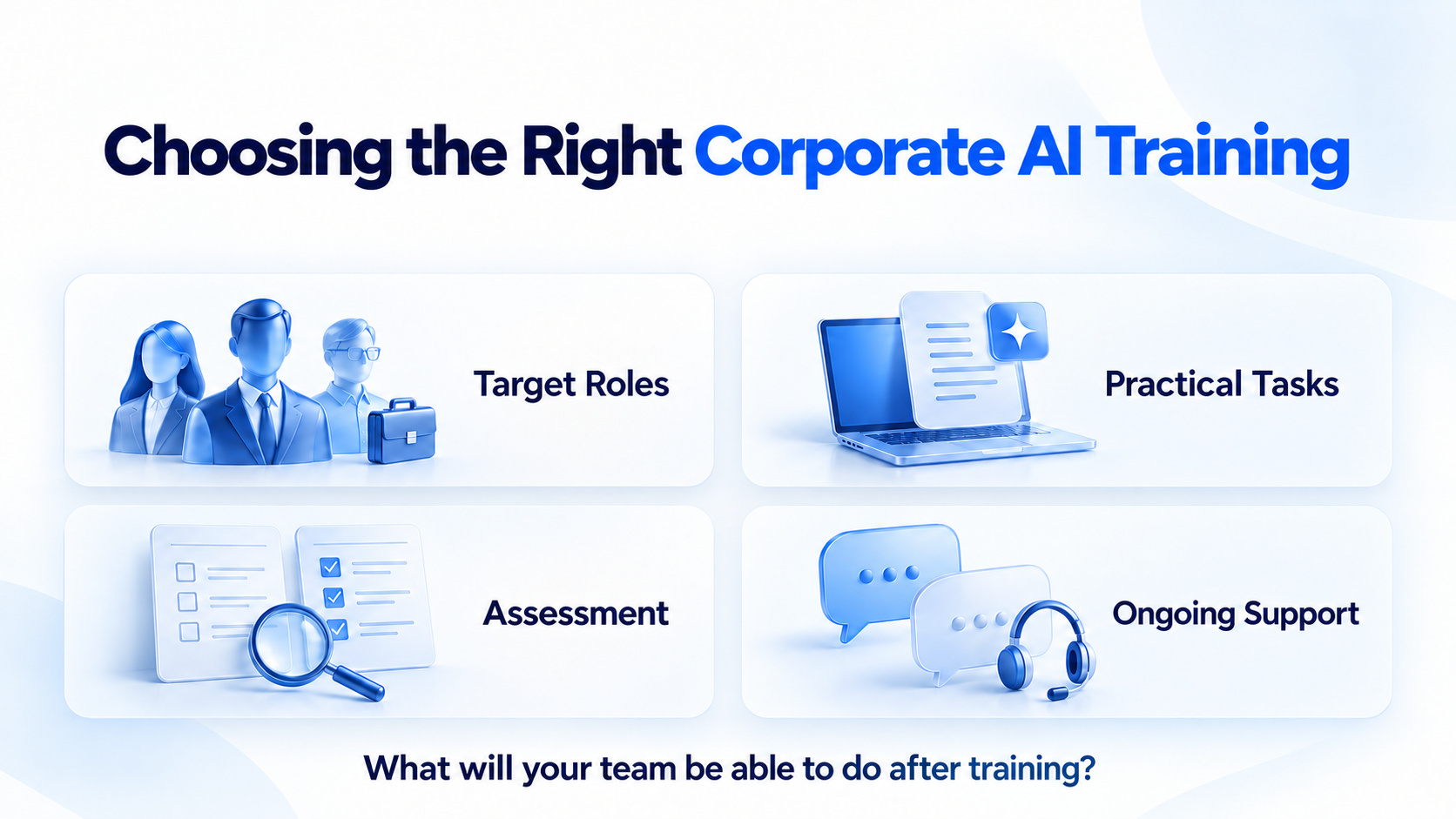
Evaluate programs against four criteria: target roles, practical tasks, assessment methods, and support after training.
A useful question is: What work will employees be able to perform afterward, and to what standard?
The LG Uplus and Google example illustrates the value of practice organized around a role-specific workflow. Adding baseline assessments and follow-up evaluation creates a structure for reporting changes in employee capability.
| Dimension | LG Uplus × Google Program | Codepresso Training + AI Fluent |
|---|---|---|
| Timing and structure | Held on October 2, 2026 | Assessment → training → reassessment cycle |
| Participants | 18 outstanding U+BOOSTUS community members | Common tracks across job functions, plus tracks for non-technical and software development roles |
| Content | Hands-on video planning, production, and editing with Gemini | Practical tasks based on workplace scenarios, with learning tailored to competency levels |
| Assessment | No separate assessment method was disclosed in the announcement | Prompt histories, intermediate outputs, and final deliverables evaluated against shared competency criteria |
Codepresso’s approach combines consistent pre- and post-training evaluation with assessment of both the working process and the final result.
AI Fluent offers seven tracks and four competency levels: Entry, Beginner, Intermediate, and Professional. Assessment tasks differ by job function, while a shared organizational competency model supports comparison across roles.
Completion rates confirm that employees finished a program. Reviewing prompt histories, intermediate work, and final deliverables provides insight into how they actually worked with AI.
For another example of assessment at multiple stages of a training journey, see Anthropic’s Two-Assessment Approach to AI Training.
Four Steps to Follow After AI Training
After training, organize follow-through around four steps: completing the first deliverable, documenting workplace use, gathering peer feedback, and reassessing performance.
Assign an owner and a required output to each step in advance so participants know what is expected.
1. Complete the First Workplace Deliverable
Have participants adapt the draft they created during training to the format and requirements of their actual work. The deliverable should be a document or piece of content that can be used internally, with the necessary review completed.
2. Document How AI Was Used
Keep a short record of where AI supported the task, what a person checked, and why any parts needed to be rewritten. These records provide practical material for future training and help identify recurring difficulties.
3. Ask a Colleague to Review the Result
Have a colleague check whether the output meets workplace standards, contains factual errors, or includes decisions that require final human judgment. This step helps turn individual experience into shared team standards.
4. Reassess Against the Same Criteria
Give participants a task of comparable difficulty to the pre-training assessment. Compare both their working process and their final output. Consistent evaluation makes it easier to explain what changed after training.
This approach maintains shared standards while allowing subsequent learning to reflect each employee’s role and competency gaps.
We discuss the shift from individual tool proficiency to organizational working practices in What It Takes to Build an Organization That Can Work Effectively with AI.
How Can You Measure the Effectiveness of AI Training?
Use the same competency model and practical tasks of comparable difficulty before and after training.
Treat completion rates and satisfaction scores as supporting indicators. Center the evaluation on changes in competency, the quality of work produced, and evidence of workplace application.
| Metric | Evaluation Question | Evidence |
|---|---|---|
| Competency improvement | Can the employee perform a comparable task to a higher standard? | Pre- and post-training task scores and competency levels |
| Process quality | Did the employee communicate objectives and requirements clearly to AI and validate its output? | Prompt histories and intermediate outputs |
| Output quality | Did the final deliverable meet workplace requirements? | Completed work and review records |
| Workplace application | Did the employee apply the method to an actual recurring task? | Documented use cases and usage records |
This gives training reports more substance. Alongside participation and satisfaction figures, learning leaders can explain which competencies changed, in which job functions, and by how much.
Codepresso recommends an ongoing cycle: use assessment results to guide training, then reassess to track progress and determine the next learning priorities.

Frequently Asked Questions
Can Employees Without a Technical Background Take AI Training?
Yes. Training for non-technical employees can begin with defining a work objective, giving AI clear instructions, and reviewing the result.
Use documents and data relevant to participants’ roles, while also teaching sensitive-data handling and standards for final human review.
When Should We Check Whether Employees Are Applying Their Training at Work?
Track workplace application after participants have had an opportunity to complete real tasks, separately from the satisfaction survey collected immediately after training.
Set the follow-up period around your organization’s schedule. For competency reassessment, use consistent scoring criteria and pre- and post-training tasks of comparable difficulty.
How Can We Plan AI Training and Assessment for Our Organization?
Contact sales@codepresso.kr to discuss role-specific AI training, pre- and post-training assessment with AI Fluent, and approaches to measuring training effectiveness.
Share the job functions you want to support and the workflows your teams want to improve. Codepresso can help you design an assessment and training plan around those needs.
References
- ZDNet Korea: “LG Uplus Partners with Google to Strengthen Creators’ AI Content Skills” — October 4, 2026
- LG Uplus Newsroom: Official U+BOOSTUS Program Page
- Codepresso: “Why People Get Different Results from the Same AI: The Seven Tracks Assessed by AI Fluent”
Written by Codepresso’s GGP Division | Last updated October 4, 2026